01
Upload two clean source photos
Use portraits, products, pets, scenes, or concept references. The tool accepts JPEG, PNG, and WEBP files, so you can merge two images online without preparing a complex design file first.
Upload two images, combine photos online with an AI prompt, and download one realistic composite without creating an account.
Use portraits, products, pets, scenes, or concept references. The tool accepts JPEG, PNG, and WEBP files, so you can merge two images online without preparing a complex design file first.
Describe whether the final image should feel realistic, cinematic, playful, product-focused, or editorial. The prompt gives the AI photo merger context beyond a simple side-by-side collage.
After generation, the merged photo is stored and returned as a direct image URL, ready for download, creative review, social drafts, mockups, or product experiments.
A collage maker places images next to each other. Merge Photos Online is built for people who want the subjects, lighting, and background to become one new scene. Upload a person and a location, a product and a lifestyle reference, or two creative concepts, then guide the AI photo merger with a short prompt.
The tool is useful for fast visual exploration before you open a heavier editor. Creators can test thumbnail ideas, sellers can explore product scenes, designers can combine references for moodboards, and social teams can draft composite images without asking for a login. The main workflow stays focused on one job: combine two photos online and return one downloadable result.
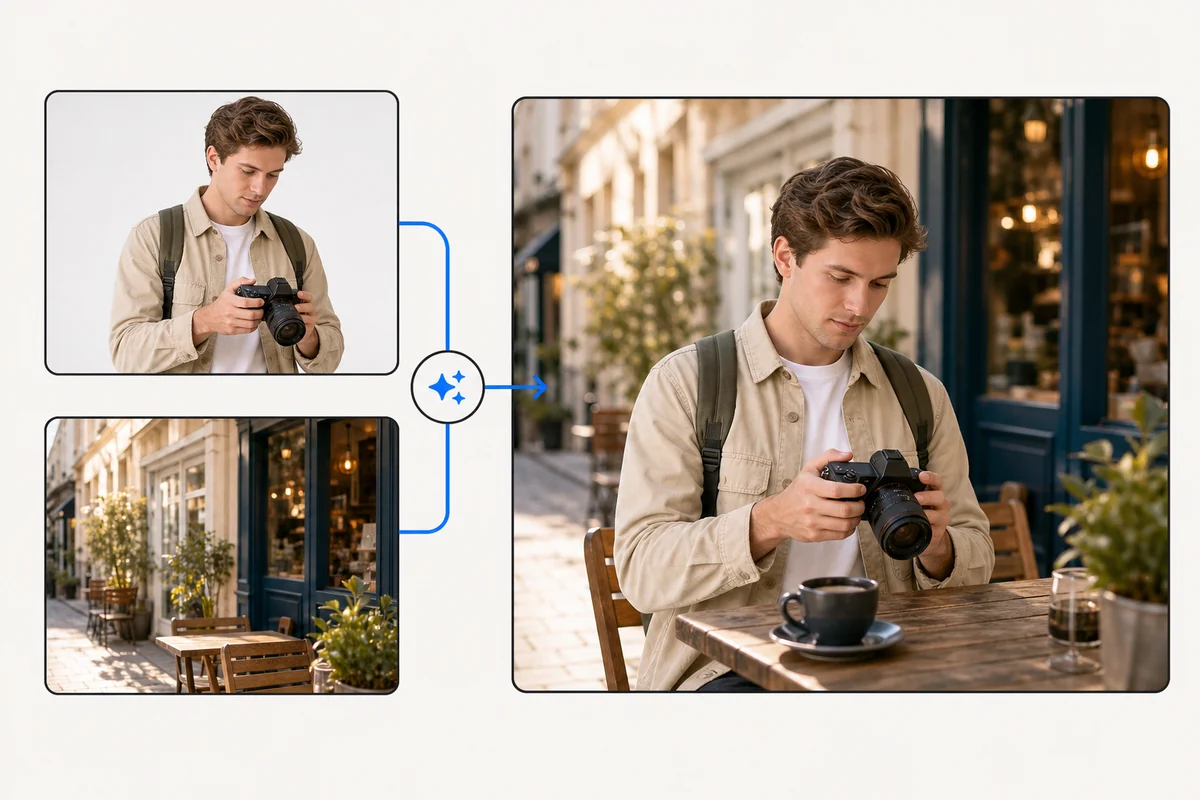
The default prompt asks the model to preserve key subjects, natural lighting, seamless edges, and a detailed background. You can replace it with a product shot prompt, a couple photo prompt, a travel scene prompt, or a branded creative direction.
Each source image can be up to 8 MB. This keeps the online photo merge fast enough for browser use while still supporting common camera exports, screenshots, product images, and design references.
You can start by uploading two images and completing the Cloudflare check. The verification step protects a free generation endpoint from automated abuse before any image processing work begins.
The page is written for one search intent: people looking for a fast online photo merger that can combine two images into a new AI-generated result.
No. A collage maker arranges photos in a grid or frame. This version uses AI image generation to blend two uploaded photos into a new composite scene.
JPEG, PNG, and WEBP images are accepted. Each source file can be up to 8 MB.
Yes. Upload the product image as one source and the scene or style reference as the other source, then describe how the final composite should look in the prompt.
The app is free and does not require login, so Turnstile helps block automated abuse before generation.